Finding my Page on Facebook is easy. I’m at facebook.com/MikeMuellerConsulting

How do you get your own cool URL? First step get your page going…
If you haven’t already, go to http://www.facebook.com/pages/create.php
Here’s the new Create a Page screen (as of April 1st)

Next add content, an avatar, information and go get at least 25 LIKEs…
Got 25? Ok, now let’s carefully go get a new Vanity URL for our Page.
Why? Because if you make a mistake there’s NO undoing it. Make a critical mispelling error? You are hosed.
Login as “you” then go to http://www.facebook.com/username/
You’ll see something like this:

For your Page you’ll want to click on that link that says “Set a username for your Pages”
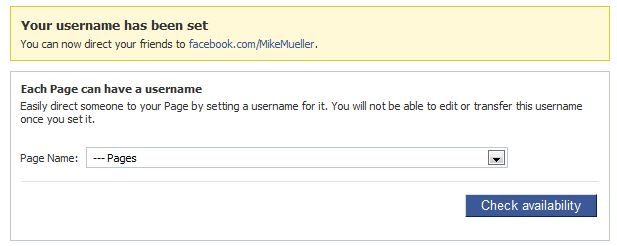
From there – just pick the page you want to rename, check it twice before changing it and finally confirm. That’s all there is to it!
Of course I highly recommend a Custom Facebook Fan Page so that when new people land on your page they land on a targeted page and not something that might be boring like your info tab or wall. Landing tabs can be entertaining, interesting and contain many of your “calls to action”. The one critical role a landing tab plays (if built properly) is in converting visitors to LIKEs. Leads me to wonder why have a page when you don’t have a custom landing tab.

He's an avid hockey fan, rides a mountain bike, sometimes rides a road bike, has a few motorcycles (he had a really fast one, bought a cool orange one, rode a really slow one, and now,a perfect "BDR Weapon"). If that isn't enough, he makes cheese and sourdough bread, loves strong beer and good red wine, and poorly plays the Mandolin.
- The Ultimate Guide to Writing the Perfect Blog Post - March 14, 2023
- 8 Questions Your Web Developer Should Have Asked - April 27, 2021
- Slack, Chat or Discord? - April 6, 2021